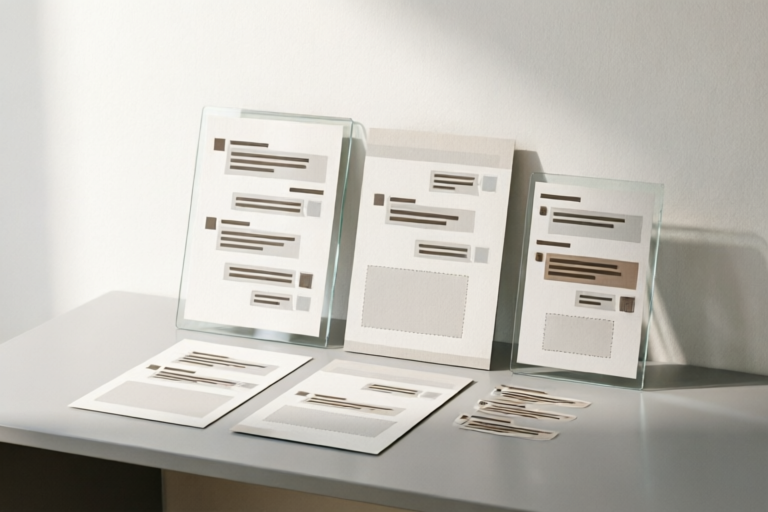
Examples of Professional Chat Templates
Enhance Your Chat Interactions with Professional Templates
### Title: Examples of Professional Chat Templates
#### 1. Introduction to Professional Chat Templates
Definition and importance of professional chat templates: Professional chat templates are pre-written messages designed to streamline communication in various business settings. These templates help ensure consistency, professionalism, and efficiency in customer interactions. They are particularly useful for handling repetitive tasks and ensuring that all customer queries are addressed promptly and accurately.
Common use cases for chat templates in various industries: Chat templates are widely used across different sectors, including customer service, sales and marketing, human resources, and technical support. In each of these areas, they play a crucial role in maintaining high standards of customer satisfaction and operational efficiency.
#### 2. Customer Service Chat Templates
Greeting and opening lines for customer service chats: A warm and welcoming greeting is essential for setting the tone of any customer interaction. Example greetings include:
- "Hello! How can I assist you today?"
- "Thank you for contacting us. My name is [Your Name]. How may I help you?"
Handling inquiries about products and services: When customers ask about your offerings, it's important to provide clear and concise information. Here are some sample responses:
- "We offer a wide range of products, from [Product Type 1] to [Product Type 2]. Which one are you interested in?"
- "Our [Service Name] is designed to [describe the service benefits]. Would you like more details?"
Resolving complaints and issues efficiently: Handling customer complaints requires empathy and problem-solving skills. Use these templates to address common concerns:
- "I'm sorry to hear about your issue. Let me look into this for you. Can you please provide me with [specific information]?"
- "We appreciate your patience while we resolve this matter. We will get back to you within [timeframe] with an update."
#### 3. Sales and Marketing Chat Templates
Lead generation scripts for attracting potential customers: Engaging prospects early is key to successful lead generation. Here are some effective scripts:
- "Hi there! Are you looking for ways to [solve a specific problem]? Our solution could be exactly what you need. Would you like to learn more?"
- "We're offering a special promotion right now. Could I send you more information about our latest product launch?"
Follow-up messages for nurturing leads: Keeping leads engaged throughout the sales cycle is crucial. Use these follow-ups:
- "Just wanted to check in and see if you had any questions about [product/service]. Is there anything else I can assist you with?"
- "Thanks for your interest! We've just released some new features. Would you like to schedule a demo?"
Closing deals through persuasive communication: Closing the deal requires confidence and clarity. Here's how you can do it:
- "Based on our conversation, I believe [product/service] is the perfect fit for your needs. Shall we proceed with the purchase?"
- "To finalize your order, we just need [specific information]. Can you provide that for me?"
#### 4. Human Resources Chat Templates
Interview scheduling and reminder messages: Efficiently managing interviews is vital for HR teams. Use these templates:
- "Hi [Candidate Name], we'd like to schedule an interview for [job position] on [date/time]. Please confirm your availability."
- "Friendly reminder: Your interview for [job position] is scheduled for [date/time]. Please arrive 15 minutes early."
Onboarding process communication with new hires: Welcoming new employees starts with clear communication. Here are some helpful templates:
- "Welcome to the team, [New Hire Name]! You'll receive an email shortly with login credentials and next steps for onboarding."
- "We're excited to have you on board! Here's a checklist of items to complete during your first week."
Employee engagement and feedback collection: Keeping employees engaged and gathering their feedback is important for organizational growth. Try these templates:
- "Hi [Employee Name], we'd love to hear your thoughts on our recent training program. Could you take a few minutes to fill out this survey?"
- "As part of our continuous improvement efforts, we're conducting anonymous employee satisfaction surveys. Your input is valuable to us."
#### 5. Technical Support Chat Templates
Initial troubleshooting questions and responses: Effective troubleshooting starts with asking the right questions. Here are some examples:
- "Can you describe the issue you're experiencing in more detail?"
- "Have you tried restarting your device or clearing the cache?"
Step-by-step guidance for resolving technical issues: Providing clear, step-by-step instructions helps users solve problems quickly. Here's a template:
- "To fix this issue, please follow these steps:
- Open [application].
- Go to [specific section].
- Click on [button/icon].
Escalation procedures when problems persist: Sometimes, issues require escalation to higher levels of support. Use these templates:
- "I'm sorry, but I'm unable to resolve this issue at my level. I'll escalate it to our technical team for further investigation. Expect a response within [timeframe]."
- "We're currently working on a fix for this issue. In the meantime, here's a temporary workaround you can try."
#### 6. General Tips for Effective Chat Communication
Best practices for crafting professional chat templates: To create effective chat templates, follow these guidelines:
- Keep messages brief and to the point.
- Incorporate personalized elements where possible.
- Test and refine templates based on user feedback.
Importance of personalization and adaptability: Personalizing messages can significantly improve customer satisfaction. Additionally, being adaptable allows you to handle unexpected situations gracefully.
Tools and platforms for managing chat templates effectively: Utilize tools such as Zendesk, Intercom, or LiveChat to manage and deploy chat templates efficiently. These platforms offer features like automation, analytics, and reporting, which can further enhance your chat operations.
#### 7. Conclusion
Recap of the different types of professional chat templates discussed: From customer service to technical support, professional chat templates cover a wide range of scenarios. Each type serves a unique purpose and contributes to overall business efficiency.
The role of chat templates in enhancing customer interactions: By using well-crafted chat templates, businesses can improve customer satisfaction, reduce response times, and ensure consistent messaging across all touchpoints.
Encouragement to experiment and refine chat templates based on user feedback: Continuously gather feedback from users and make adjustments to your templates. This iterative process will help you stay ahead of changing customer expectations and industry trends.
Comments

Saved these templates for my next campaign. Looking forward to testing them out!

Used this and it worked

Love the lead gen script. Added a CTA and it worked like magic!

The greeting lines for customer service could be a bit warmer. Any suggestions?
How would you guys customize the customer service templates for e-commerce?
For tech support, I found the escalation procedure part really helpful. Saved me from a lot of back-and-forth.
The HR templates are spot on. Just added a bit more personal touch to the onboarding messages.
Used the sales script and closed my first deal over chat! 🎉